
TwoToned Projects
A native Mac project manager for people who build things.
One home for every project you're working on. Track tasks, bugs and ideas, always know what's next, browse your project folders, and let Claude Code read and update your lists while it works.
Requires Apple Silicon Mac, macOS 27 or later.
Version 0.5 · macOS · MIT license · Released November 2026

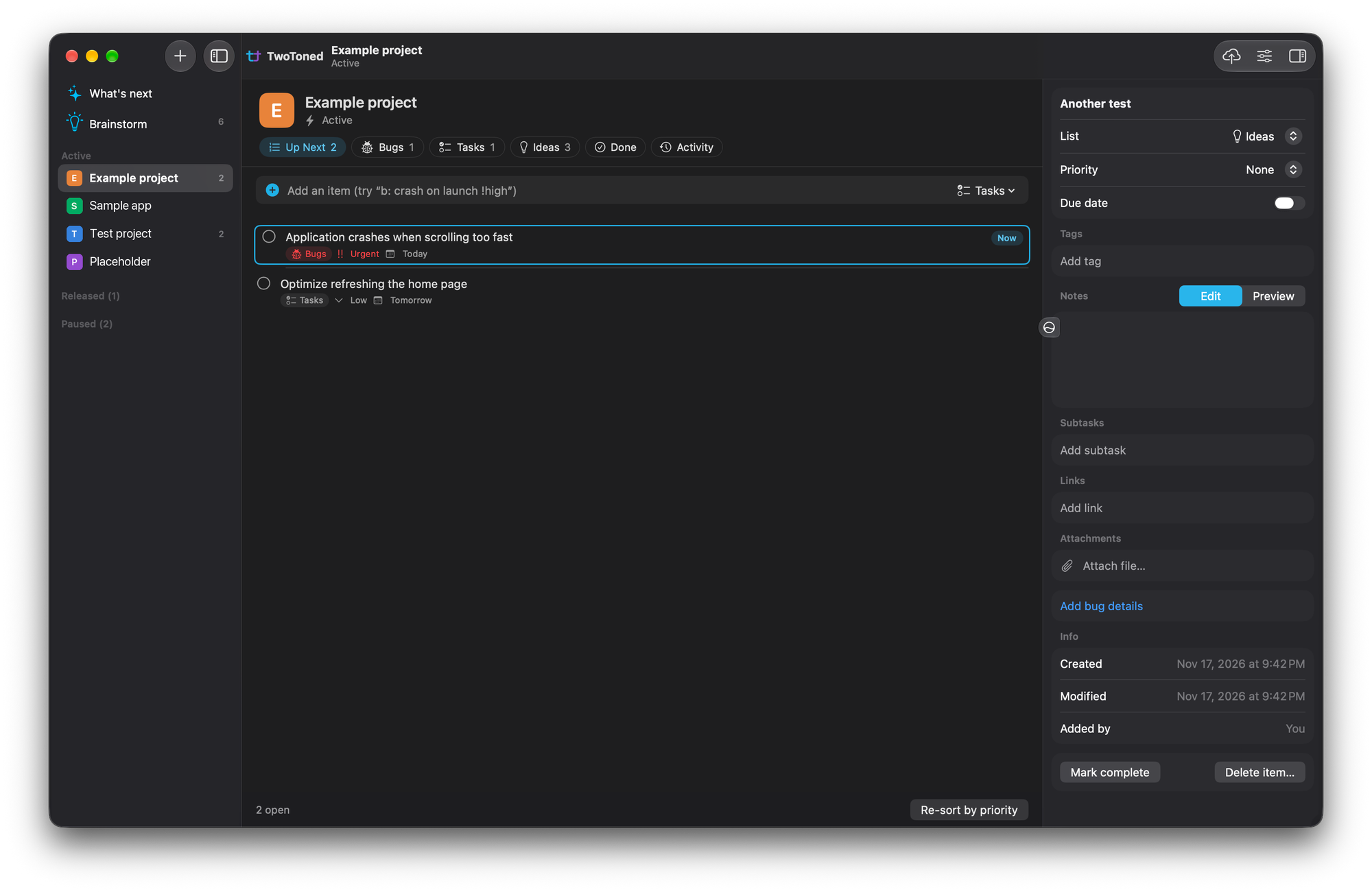
Everything a project needs, in one window.
Up Next
One list of everything open, ordered by priority with bugs first. The top item is your current task. Drag to reorder, and your order is never re-sorted behind your back.
Claude Code connection
Claude can read your Up Next, log the bugs it finds and check off what it finishes, in the project it's working on. Every change it makes is badged and logged.
Linked folders
Link a project's folder to get a gallery of its images, videos and PDFs, its README, code stats, and what git ignores. Open it in Finder, Terminal, VS Code or Xcode.
Lists your way
Every project starts with Bugs, Tasks and Ideas. Rename them, reorder them, or add your own.
Rich items
Markdown notes, priority, due dates, tags, subtasks, links, attachments, and bug details with steps, expected and actual behavior, and a screenshot.
What's next
The current task, anything due soon and high-priority bugs across all your active projects.
Brainstorm
Jot ideas down as bullets, then turn one into a real project with every bullet waiting in its Ideas list.
Menu bar and shortcuts
Optional. See and check off your current task, or quick-add an item, from any app without opening the window.
iCloud backups
Numbered backups of a project's folder and lists to iCloud Drive, on demand or automatically.
The app I run everything on
TwoToned Projects isn't just something I made, it's what I use every day. Every plugin, game and app I work on lives in it. Whether a project is built entirely by hand or with help from AI, it's where I keep track of what I need to do: the bugs I find, the task I'm on right now, and the ideas I'll get to later.
Fun fact: this website is tracked in TwoToned Projects too, and Claude used it to pick up and check off the task that added this very page.
Built for the way you work with Claude Code
Link a project's folder, click Connect to Claude Code in Settings, and start a Claude Code session in that folder. That's it. Then just ask:
- "What's on my Up Next?"
- "Add a bug: the export button does nothing."
- "Mark the login task done."
Claude only ever sees the project linked to the folder it's working in, never your other projects. Everything it adds or changes gets a purple Claude badge and shows up in the project's Activity tab, so you always know what it did. You keep using Claude Code exactly as before, in the terminal or the Claude app.
Install
- Download the latest zip from the GitHub releases page, then double-click it to unzip.
- Drag TwoToned Projects into your Applications folder.
- Open it. macOS will say it can't verify the app, because it isn't notarized yet (that needs a paid Apple Developer account). Click Done, then go to System Settings → Privacy & Security, scroll down, and click Open Anyway.
You only do this once. If you'd rather not run a downloaded app, you can build it from source in about a minute.
Private by design
- Everything stays on your Mac. No account, no server, no analytics.
- Linked folders are only ever read, never written to.
- The Claude Code connection only works on your Mac, and only sees the linked project.
- Backups go only where you choose (iCloud Drive by default).
- Settings → Data → Remove all TwoToned data deletes everything the app has stored.
Light on your Mac
Everything is event-driven, so it uses almost no CPU while it waits in the background.
Docs
- Getting started: projects, lists, Up Next, the menu bar and shortcuts
- Claude Code: connect, use and disconnect
- Backups: iCloud Drive backups and what's inside them
- Uninstalling: removing the app without leaving anything behind
Open source
TwoToned Projects is free and open source under the MIT license. The code is on GitHub.
