
Tools.
Every utility you keep reaching for, in one widget.
21 tools for building, scripting, GUI work and data management, behind one search bar that sits quietly in your Studio widgets.
↑ Live demo. All 21 tools, searchable, just like in Studio.
Built from real dev work
Every tool is something I, or friends of mine, kept needing during development. A few of them I had never seen in a plugin before building my own.
Stays out of your way
It docks into your Studio widgets with a search bar up top. Hide the tools you never use, and the home page only shows what matters to you.
Keybinds for everything
Bind any tool to a shortcut, or use the quick action menu with a single key. Open it, do the thing, close it again.
One price, every update
Pay once on the Creator Store. New tools get added as I find ones worth adding, and you get every one of them.
Docks next to your Explorer and stays there.
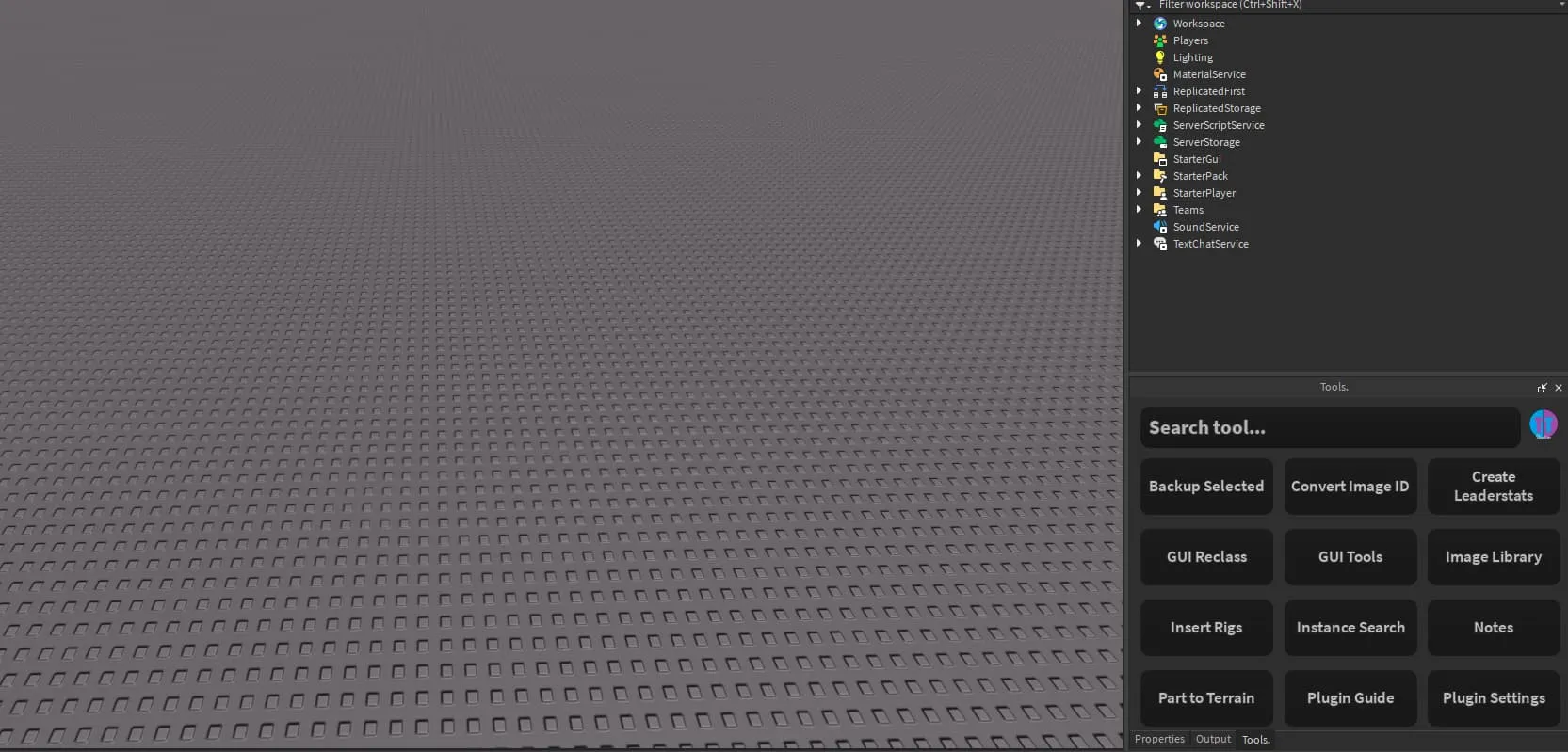
21 tools, and counting.
Auto Anchor
BuildingAnchors every new part you add to the workspace until you turn it off.
Backup Selected
WorkflowDuplicates and disables what you're working on, so the version that works is always one click away.
Convert Image ID
AssetsTurns a decal ID into a usable image string, or saves it straight into your Image Library.
Create Leaderstats
ScriptingGenerates a saving leaderstats script for any currency name, in a simple or table-based version.
GUI Tools
GUICenter, fill, roundify, add aspect ratios and copy styling or positioning across selected GUI objects.
GUI Reclass
GUIChanges a GUI object's class while keeping all of its properties and children.
Image Library
AssetsSave the images you reuse and apply them to anything selected in one click.
Insert Rigs
BuildingInsert a blank R6 or R15 dummy, or any player's avatar by username or user ID.
Instance Search
WorkflowFilter the workspace by property and select every instance that matches.
Load Hats
AssetsInsert any accessory straight from its ID.
Notes
WorkflowA notepad that lives inside Studio and saves between sessions.
Part to Terrain
BuildingReplaces selected parts with terrain in the material you pick.
Recolor Parts
BuildingSwaps one color for another across a whole model and leaves every other color alone.
Remove Datastores
DataClears player data for Right to Erasure requests in bulk, across all of your keys at once.
Scripting Tools
ScriptingBack up scripts and convert between Scripts and LocalScripts.
Script Library
ScriptingSave scripts you write often and insert them into any place you open.
Sound Groups
DataFinds every sound missing a SoundGroup and assigns one for you.
Text Editor
GUIEdit text labels in a real multi-line editor instead of the tiny Properties box.
Texture Fighting
BuildingFixes texture fighting between selected parts on any axis.
Toggle Camera Light
BuildingA light that follows your camera, for building in dark spaces.
Weld Parts
BuildingWeld selected parts together, or strip every weld out of a model.
Good to know.
Is the price in US or Canadian dollars?
US dollars. Tools. is $5.99 USD, paid once through the Roblox Creator Store.
Do I have to pay for updates?
No. Updates come through Roblox for free. Restart Studio after an update to load the newest version.
Can I hide tools I don't use?
Yes. Open Plugin Settings and untick any tool. It disappears from the home page and from search.
How do I set keybinds?
In Studio, go to File, Advanced, Customize Shortcuts, then search for Tools. You can also use the quick action menu if you only want one key.
I found a bug or have an idea for a tool.
Tell me in the Discord or send an email. I read all of it, and a lot of the current tools started as someone's suggestion.
